

Keeper Re-design
When Keeper set out to evolve from a trusted password manager to a leader in cybersecurity, they introduced a bold new brand identity to reflect this shift. To bring this transformation to life, the app needed a complete redesign — one that not only reinforced the company’s new positioning but also elevated usability and built user trust.
As the UX/UI Designer leading this initiative, I was responsible for producing all screens and conducting the research showcased on this page, based on data provided by the marketing team. Additional documentation is available upon request. Through close collaboration with project managers, engineers, and C-suite executives, we successfully delivered a fully redesigned digital product.
OBJECTIVE:
- Investigate pain points and opportunities across current users
- Ensure seamless navigation when inputing a login credential via passsword manager app
- Intergrate intuitive user experience of real-time updates and alerts within the app
- Deliver user intuitive experience and implement new brand system by balancing customization and simplicity
USER RESEARCH
Objective
- Find out what pain points users face while logging into a third party website using a password manager app.
- Find out user's behavior when transferring the password to other users.
- Find out user's journey when accessing news for the app.
- Strategize and prioritize app features based on the user's behavior.
Interview Methodology
- A survey for our B2B, B2C, and C2C consumers via
- Digital survey form
- Call automation survey
- Users who have used the software for more than 3 months
- Users ranging from iOS, Android, and/or web
Types?

Age?

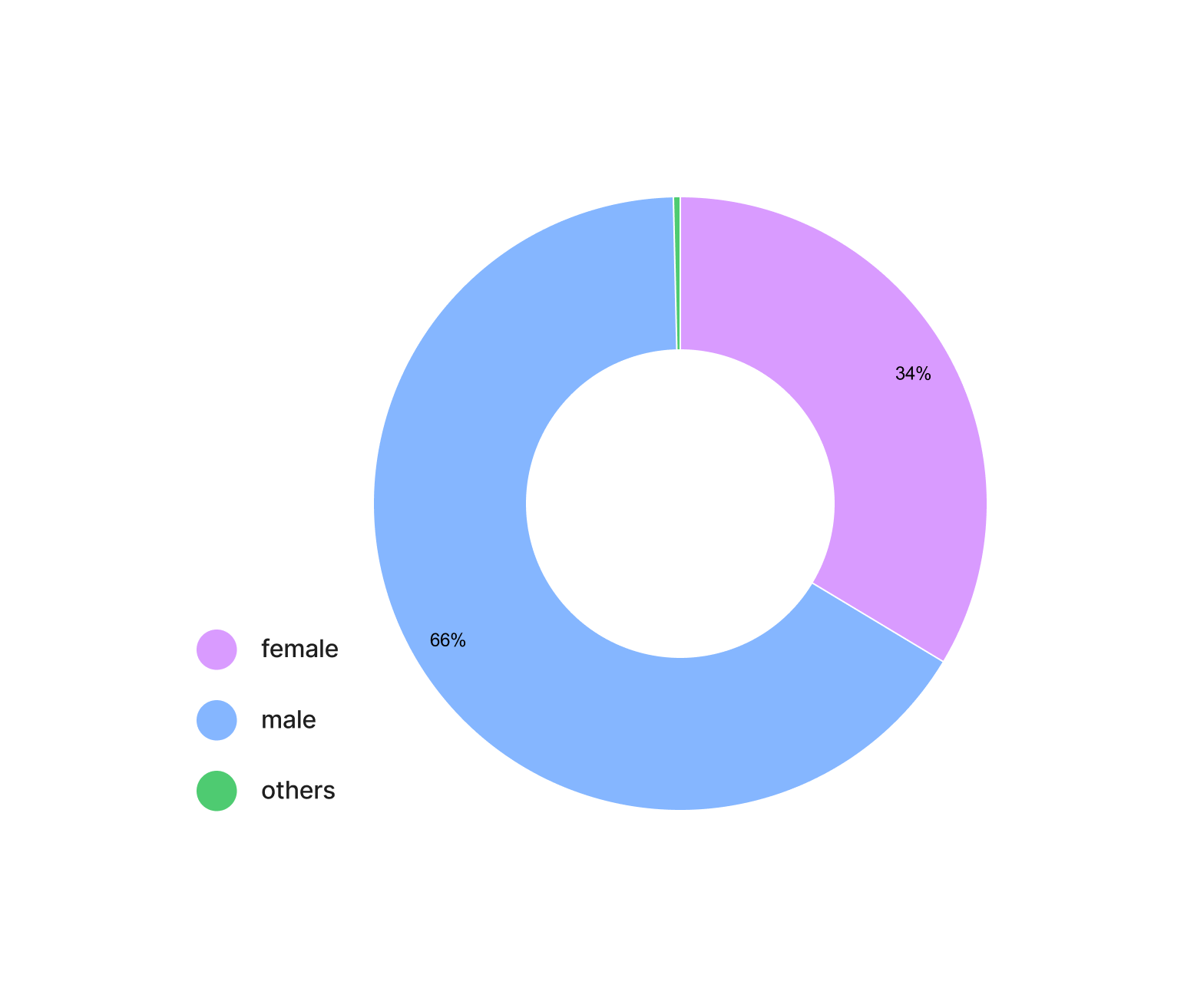
Gender?
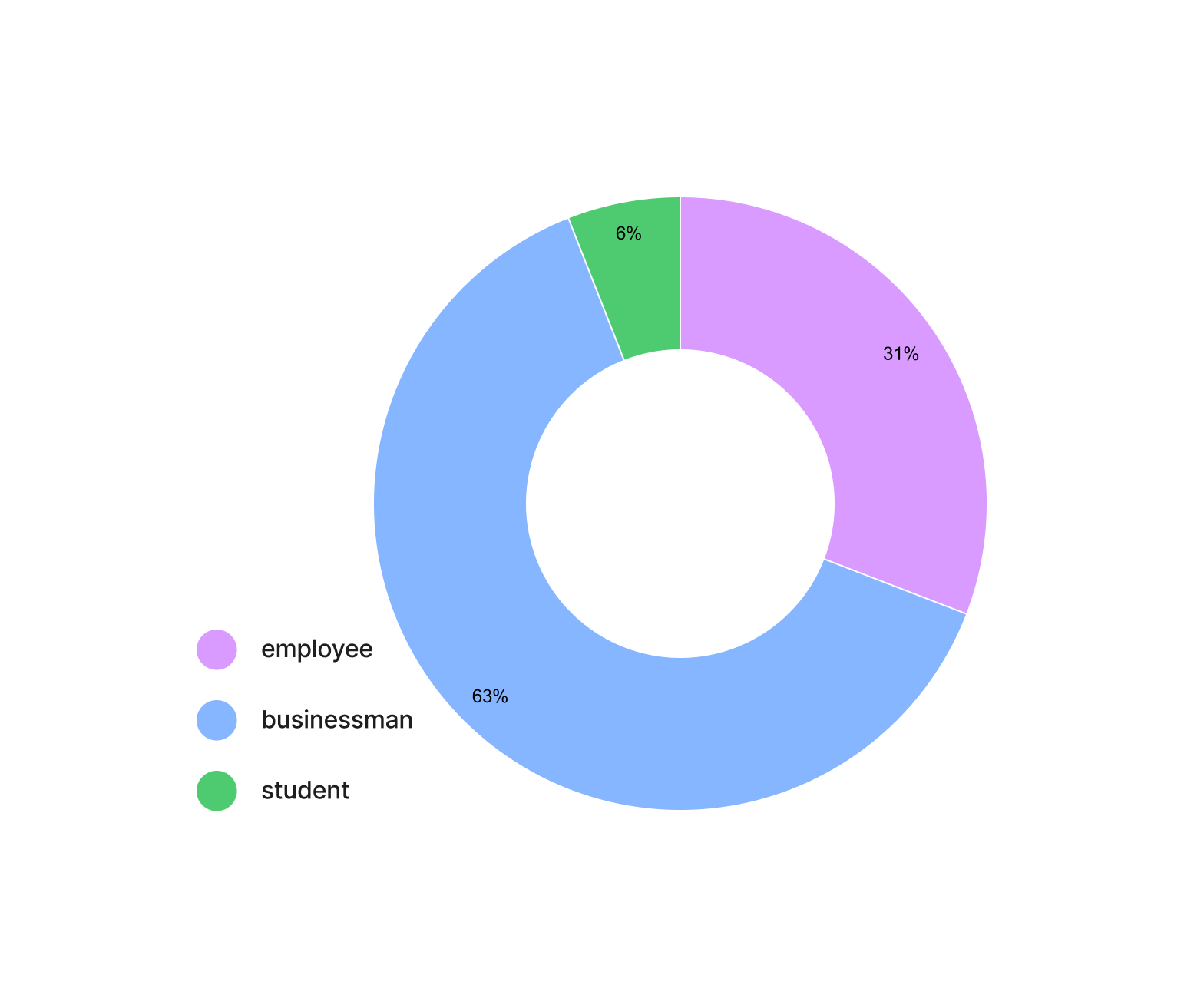
Occupation?
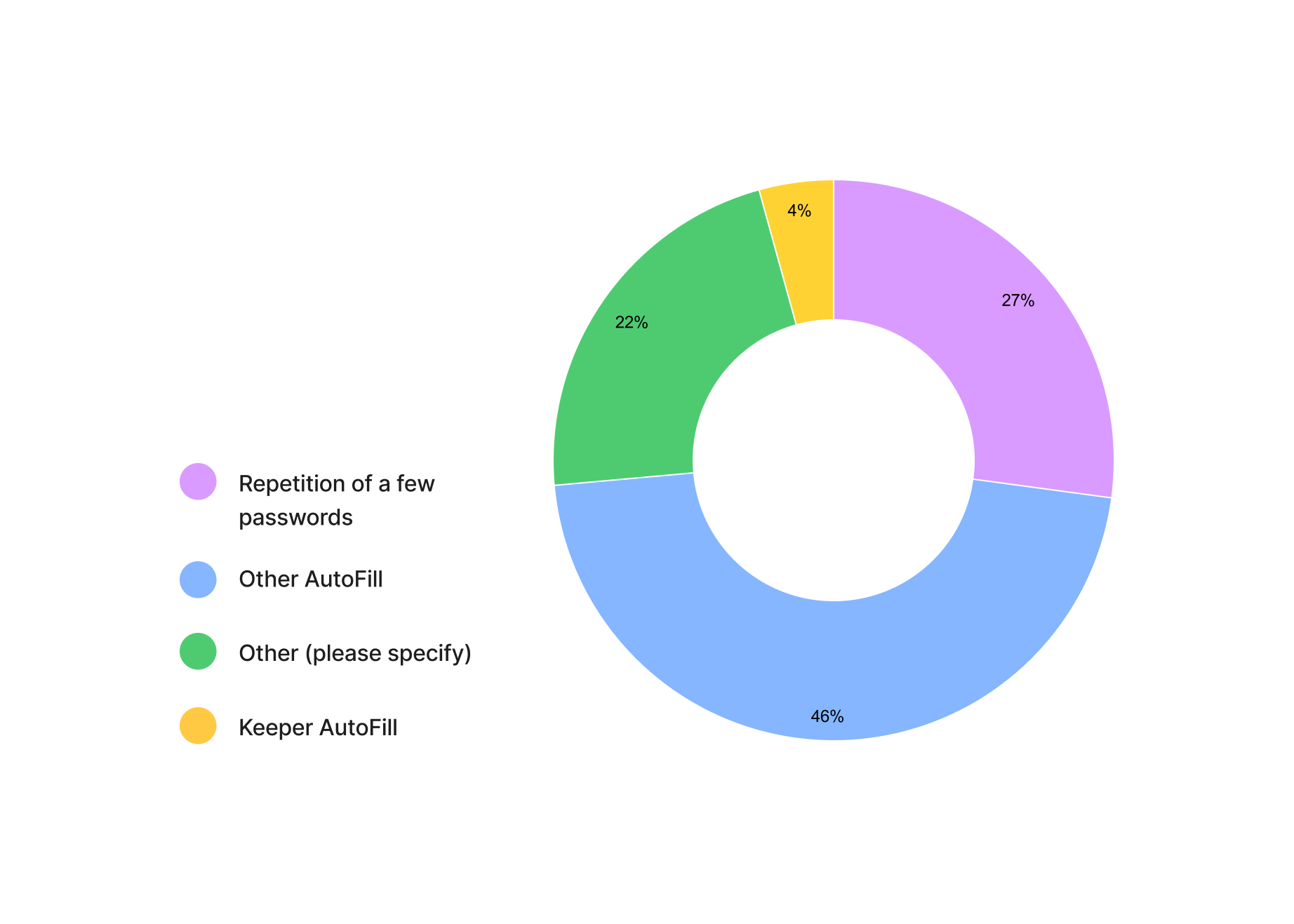
Login Credentials Input Method in a Professional Setting?

Login Credentials Input Method in a Personal Setting?
Competitor Analysis
- Competitive Analysis (Password Managers)
- Dashlane
- 1Password
- Zoho
- RoboForm
- NordPass
- Comparative Analysis (Web Browsers Autofill)
- Safari
- Firefox
- Apple
- Google Chrome
USER FLOWS
Logging into a third party website using a password manager
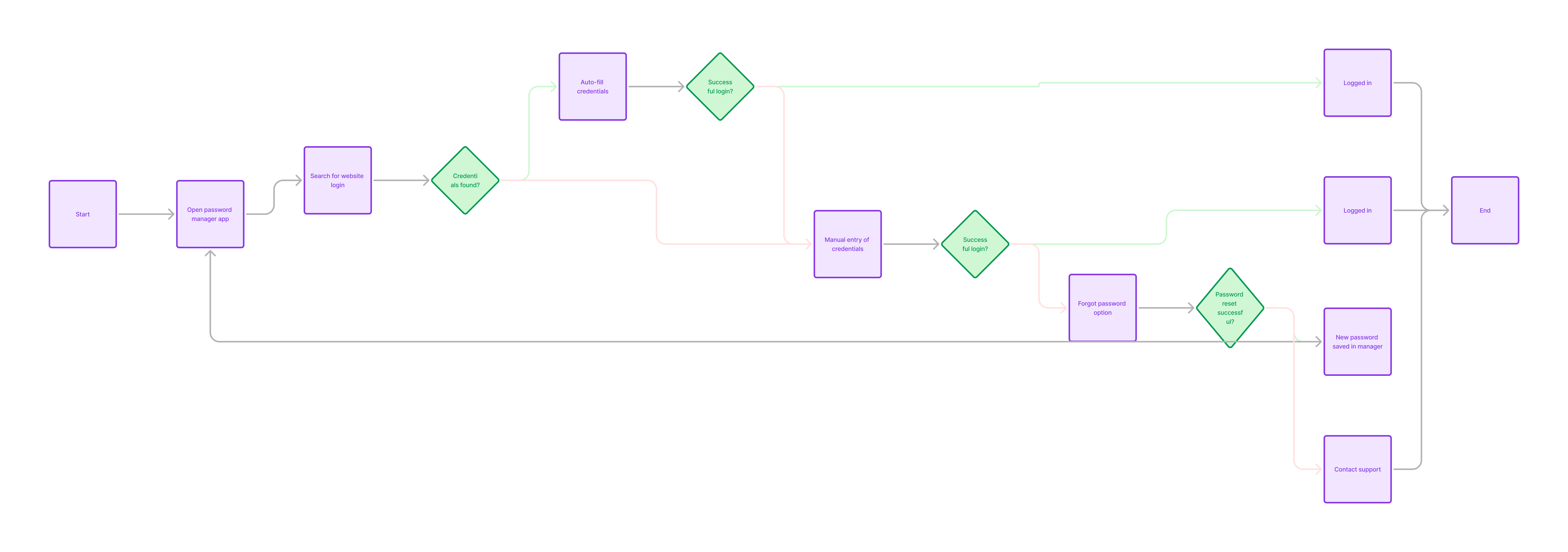
Transferring a login credential using a password manager

Current user's flow of accessing new alerts

INSIGHTS
Findings & Solutions

Patterns & Behaviors
- Current users often manually enters login credentials from a password manager.
- Users are unaware of high risk of password breach from entering passwords manually or using a web browser password manager
- Enhance Autofill Feature to integrate seameless navigation
- Add BreachWatch feature on the home screen
- Current users often misses alerts regarding new features and plan expirations.
- Improve an onboarding flow for each new feature
- Add a notification center feature in the app.
- B2C users asked to be able to share other secure credentials, such as bank acount or credit card information.
- Allow users to customize their record to align with their needs.
- Allow users to customize their record to align with their needs.
KEY FEATURES
1. Encourage features that improve cyber security and unify brand for each platform
- Password Generator
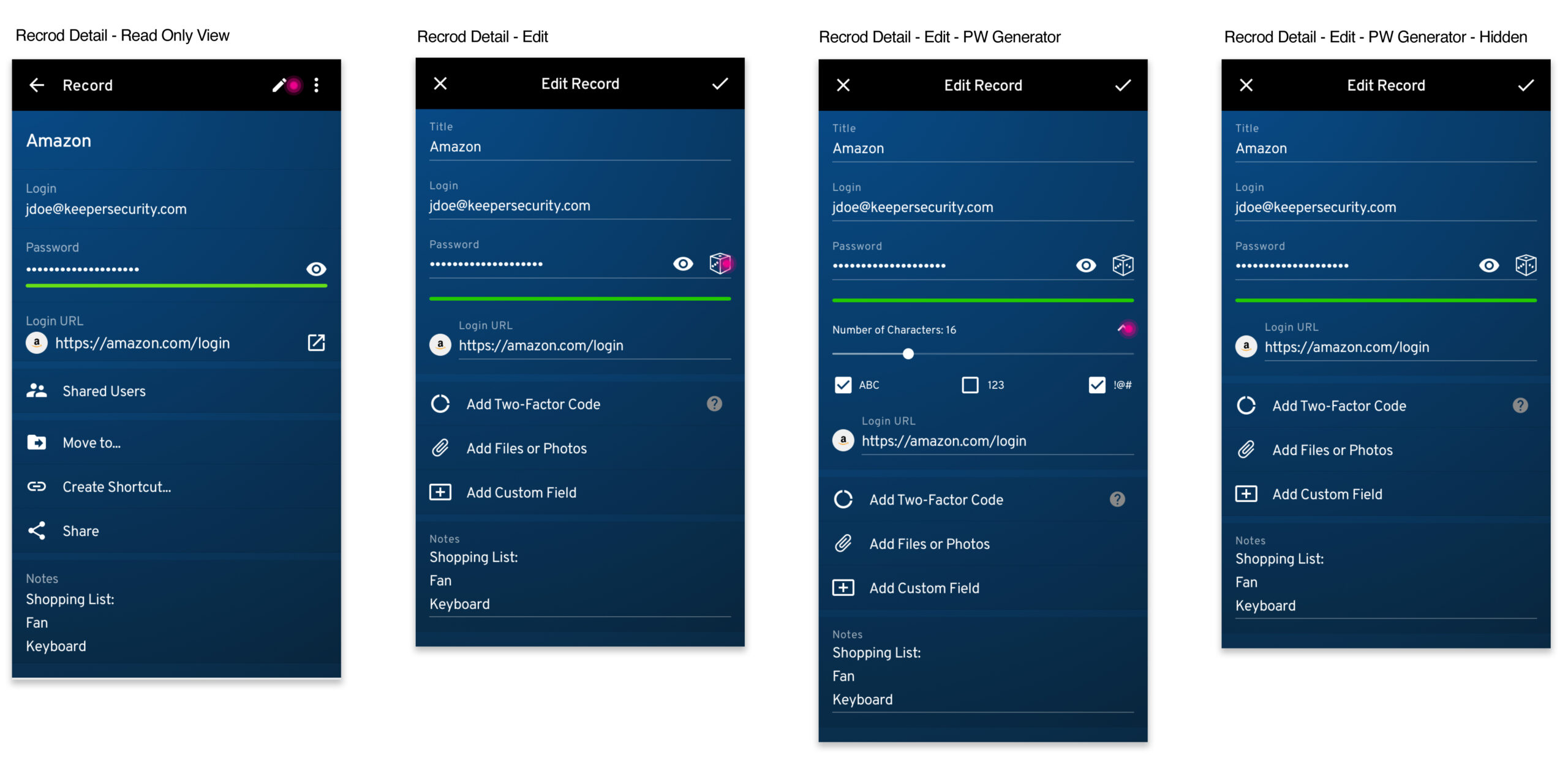
2. Inconsistent branding and components across the platforms
- Add Search and Filter features on AN

3. Unify user experience for all platforms of the app, including AN, iOS, and Web
- update Sort By views for AN

4. Encourage features that improve cyber security
- Add Breach Watch on home screen


5. A notification center to inform users of valuable information regarding plan expiring, file transfers, or to enhance security of their accounts.
- To encourage users to set up 2FA and security questions in their account


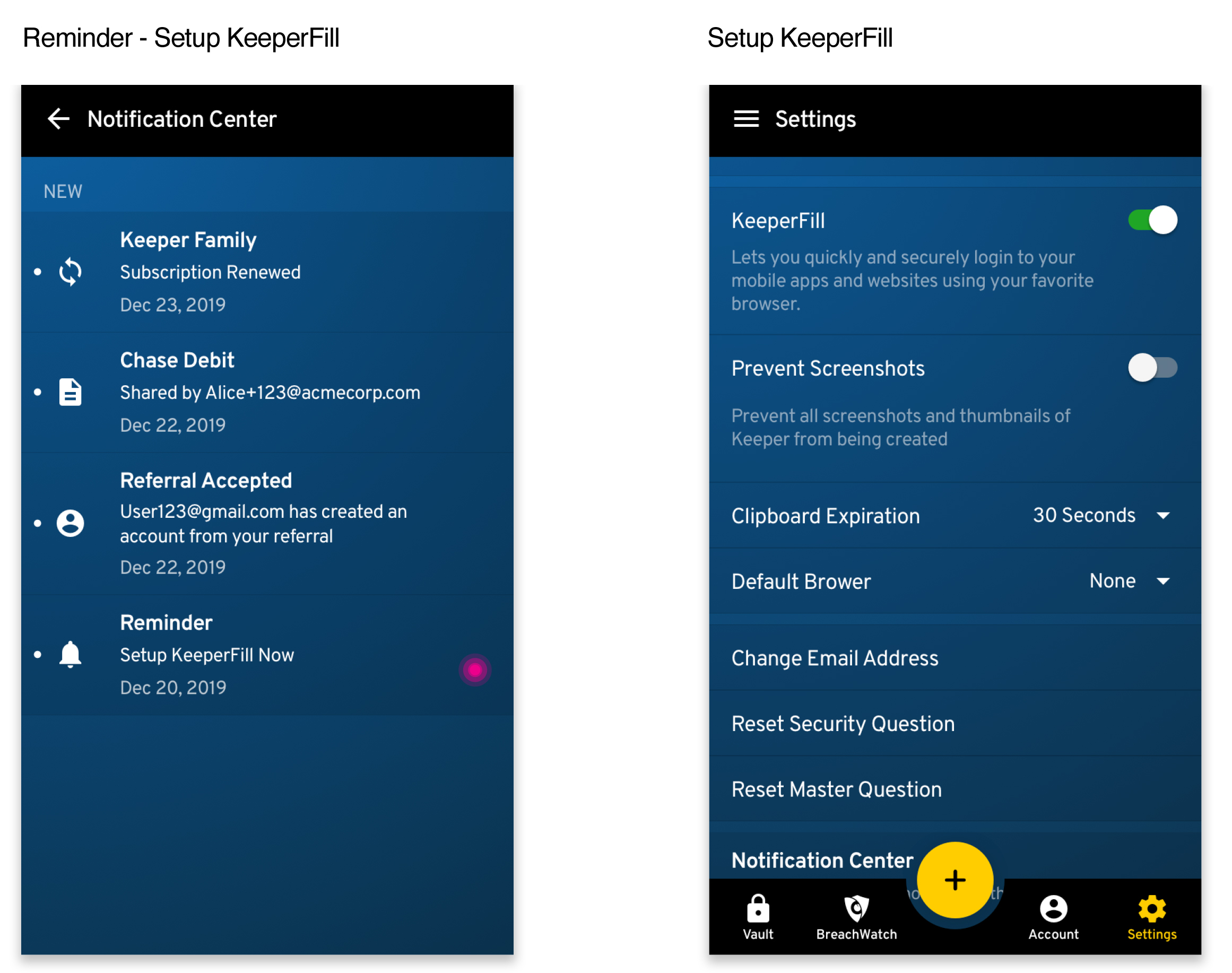
6. A notification center to inform users of valuable information regarding plan expiring, file transfers, or to enhance security of their accounts.
- to remind our users to set up Keeper Fill through our software
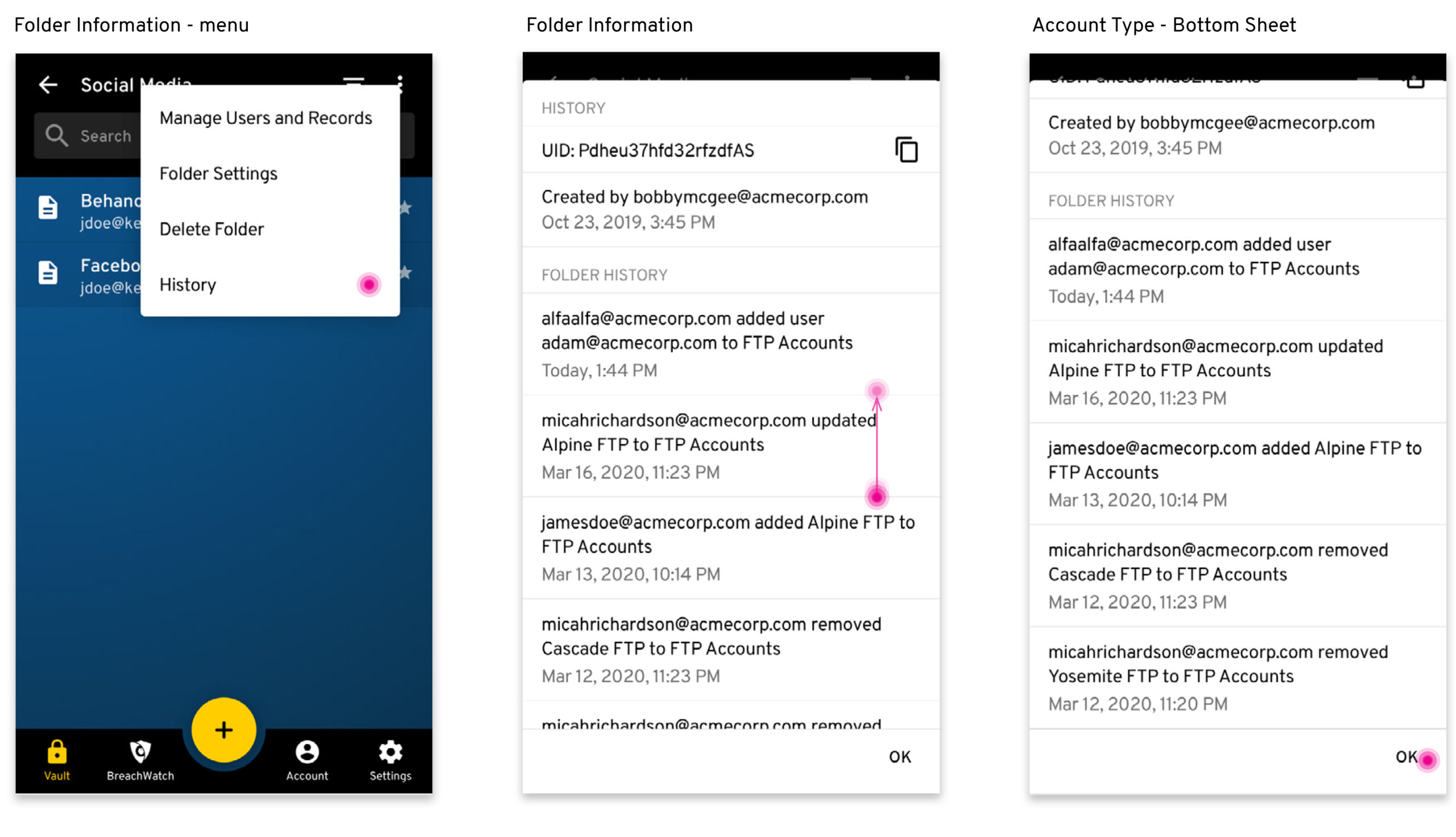
7. B2B Admin Users would like access to history information when sharing
- Add “sharing details feature” to a record that is shared among multiple users for admin user


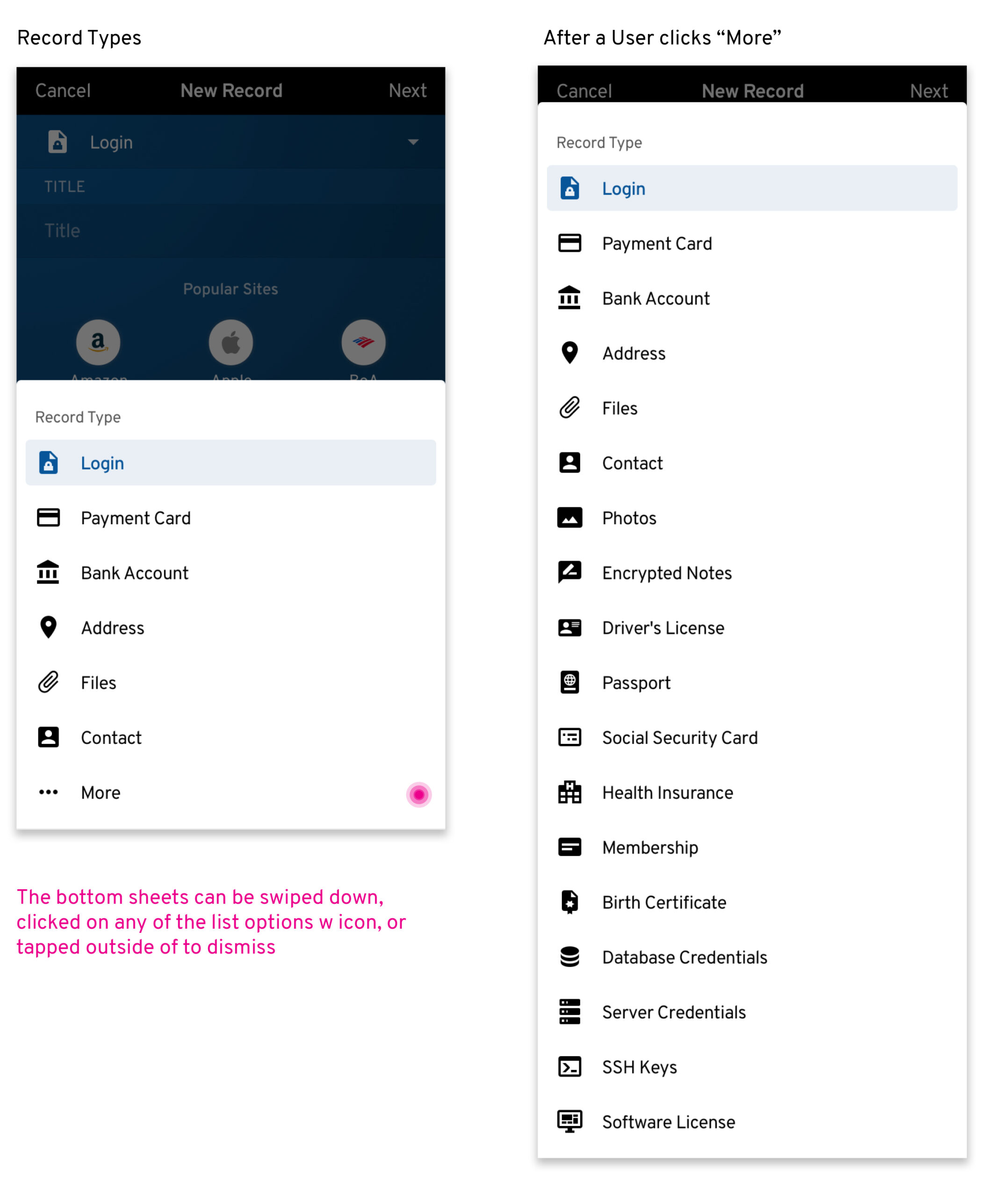
8. A feature to be able to add and share various types including banking and payment card information
- Record Types

USER TESTING
Goal
Accumulate insights on how users are interacting with new alerts
- How users interact with the password manager app when a user receives an alert
- How to get users to take necessary actions more efficiently when sending alerts via emails, notifications center or both
Hypothesis
Having an onboarding screen for notifications center and having a number of unread notification marked on the homescreen will increase efficiency for notifications more than email notifications.
Objective
User Testing is used to determine how users interact with our app when accesing new alerts and to measure the time of a user completing a s task from receiving the alerts via email, notification center and both.
User Flows
Email Notification

Notification Center

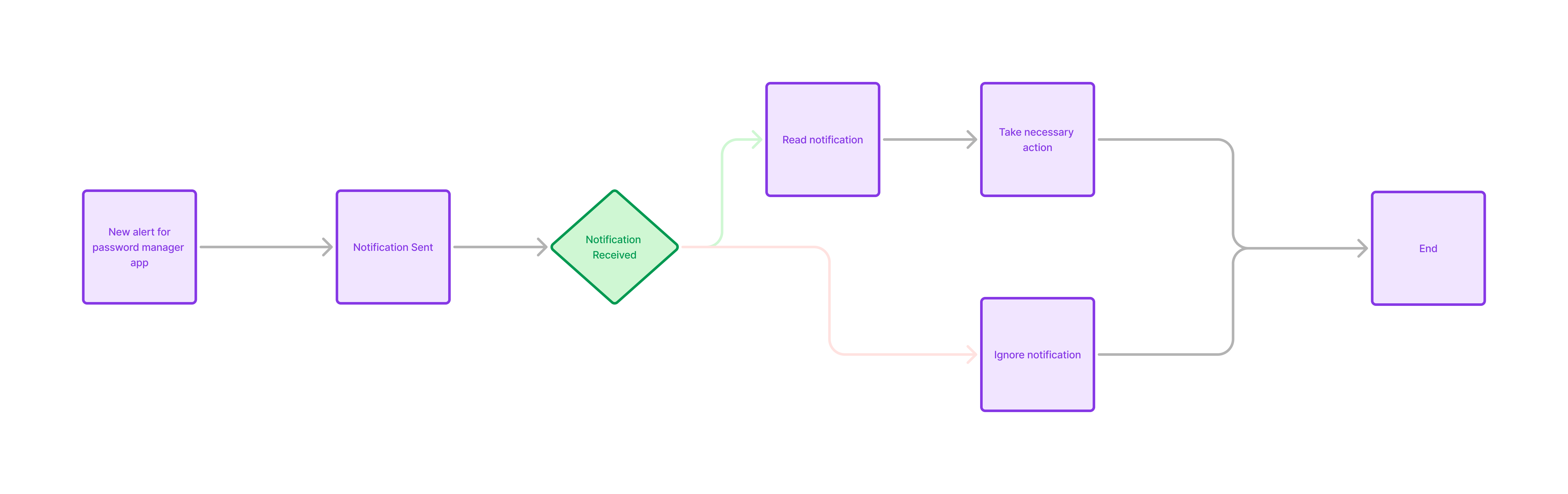
Onboarding Notifications


Test Findings
- The test ran for 3 weeks and produced a 28% increase in users’ renewal rate with the notification center improvements.
- Findings suggest that having both notifications center with onboarding improvements is the most efficient for the users.
- 37% of B2B users reported that the notification feature informed them of valuable information when sharing files in the vault app.
Final Designs

RESULTS
- 34% customer satisfaction growth increase, due to intuitive user experience and seamless navigation of the redesign.
2x numbers of users completing the alerted task since launching notification center feature improvements.
- 58% of users have shortened the time to complete a task via Notfication Center since the new feature improvement
- 89% of users reacted postiviely to the new key feature of secure record types and sharing improvements.